Exclusion of DockWCAG from optimization in LiteSpeed Cache
LiteSpeed Cache is a highly regarded WordPress plugin that improves site performance by optimizing external CSS and JavaScript files.
For DockWCAG to work as intended, it must be loaded directly from wcag.dock.codes and should be excluded from optimization in LiteSpeed Cache.
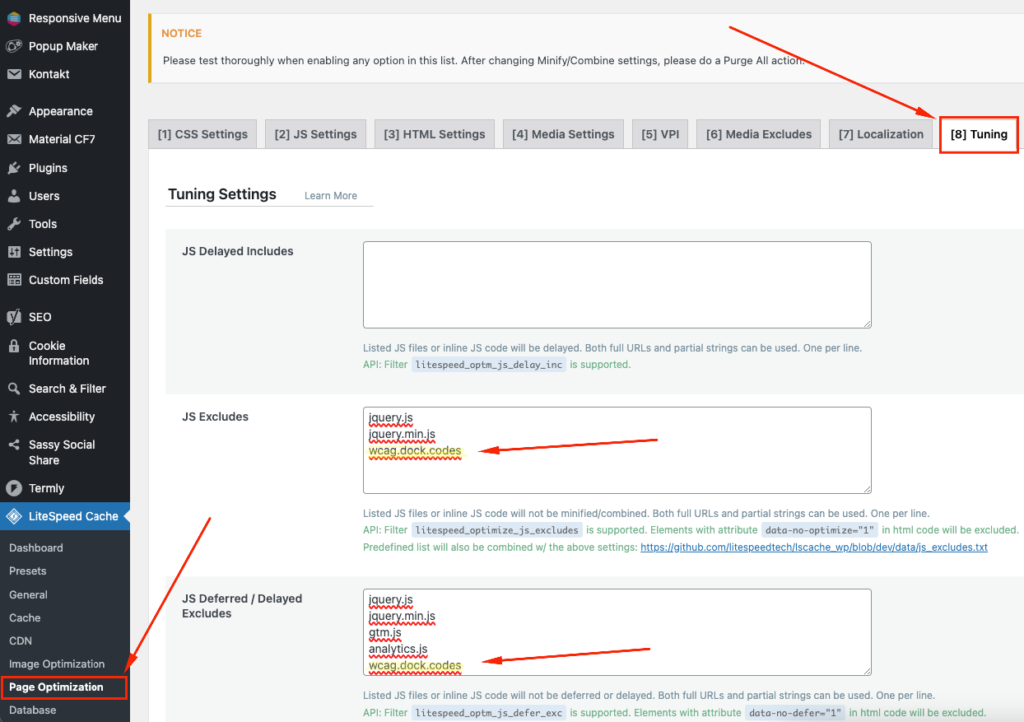
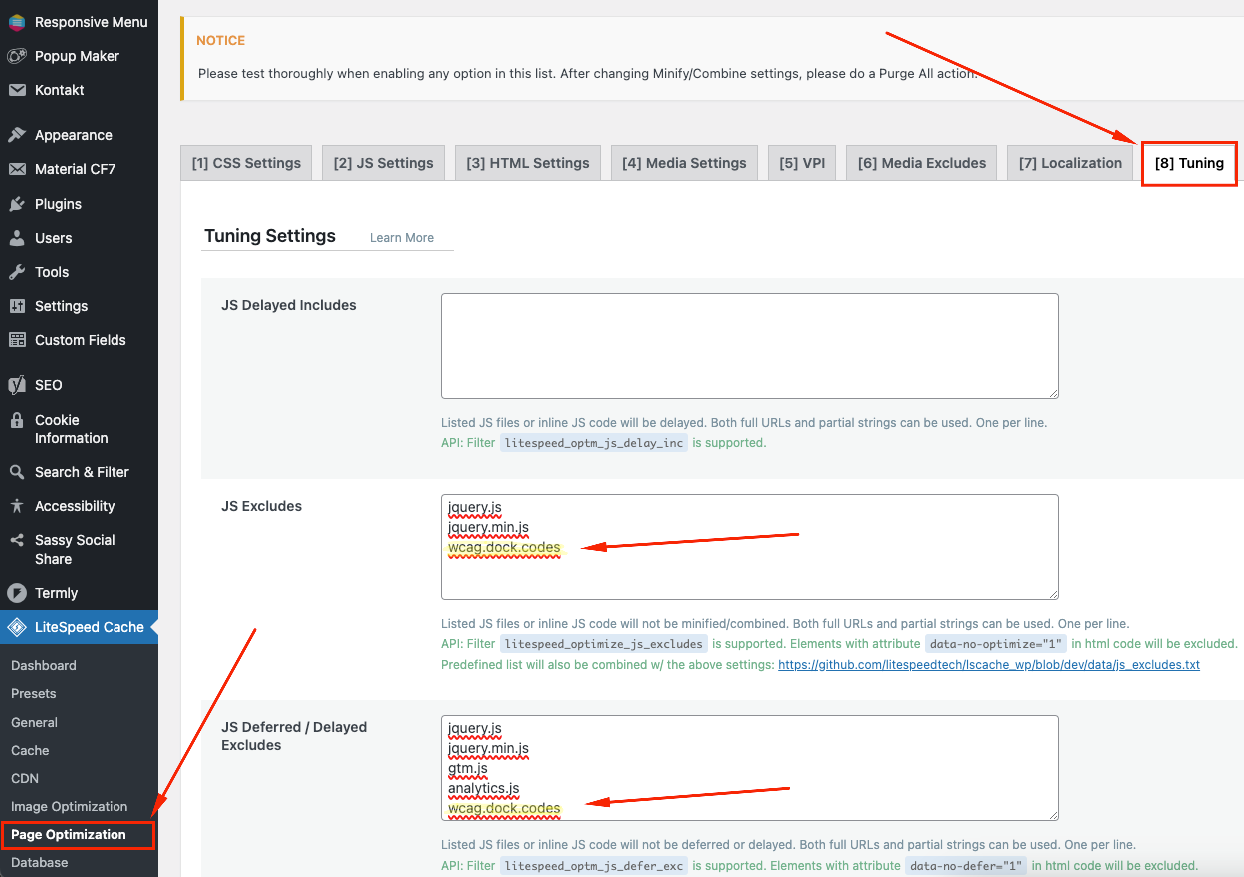
How to exclude DockWCAG script from LiteSpeed Cache? To prevent LiteSpeed Cache from optimizing and caching your DockWCAG script, log into your WordPress admin panel and follow the steps below:
Step 1: Add an exception for the DockWCAG script
Step 2: Clear the cache For the changes to take effect, clear the cache of your site. This will ensure that the settings are implemented correctly and avoid potential conflicts.
Related posts
- Blocking scripts when using the Consent Manager plugin
- Content Security Policy (CSP) issue – frame-src 'self’
- Widget configuration from account not working
- Displaying the correct language version
Still looking for answers?
Ask our experts using online chat