Automatic Audit and Accessibility Monitoring
The wcag.dock.codes platform provides a set of tools that support the analysis of website and web application accessibility in accordance with WCAG 2.1 (levels A and AA).
There are two main modules:
- Accessibility Audit – a one-time accessibility analysis available online or via API.
- Accessibility Monitoring – automated, recurring scans of selected pages with automatic reporting.
Both tools work together – audits serve as the basis for reports, while monitoring automates running them in the background.
Accessibility Audit
The accessibility audit is a point-in-time check of a webpage for compliance with WCAG 2.1 guidelines.
The tool is available at:
👉 https://wcag.dock.codes/tools/accessibility-checker
How it works
- Enter the URL of the page you want to test.
- Click Start audit – the process usually takes around 10 seconds.
- After completion, you will receive a report containing:
- a list of detected accessibility issues,
- fix recommendations,
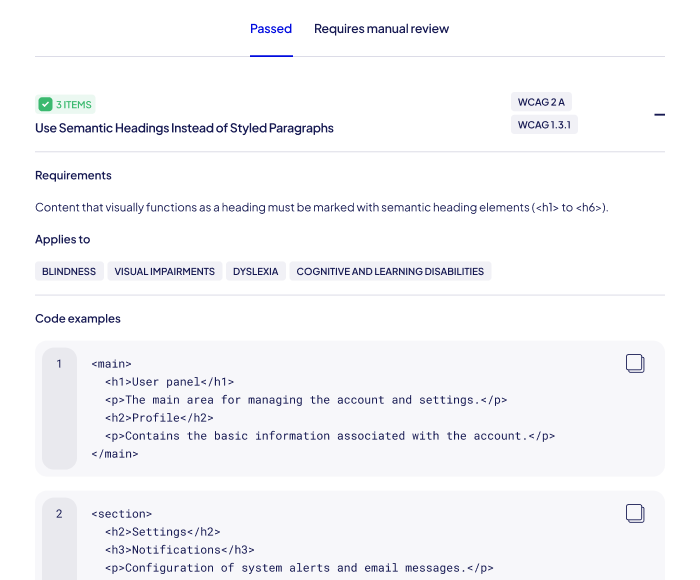
- a breakdown of tests into:
- Passed,
- Failed,
- Requires manual review.
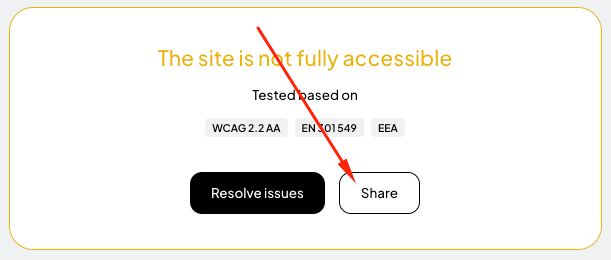
- If needed, you can share the audit results with developers.
Manual test verification
In the “Requires manual actions” tab, you can verify whether a given criterion has been met.
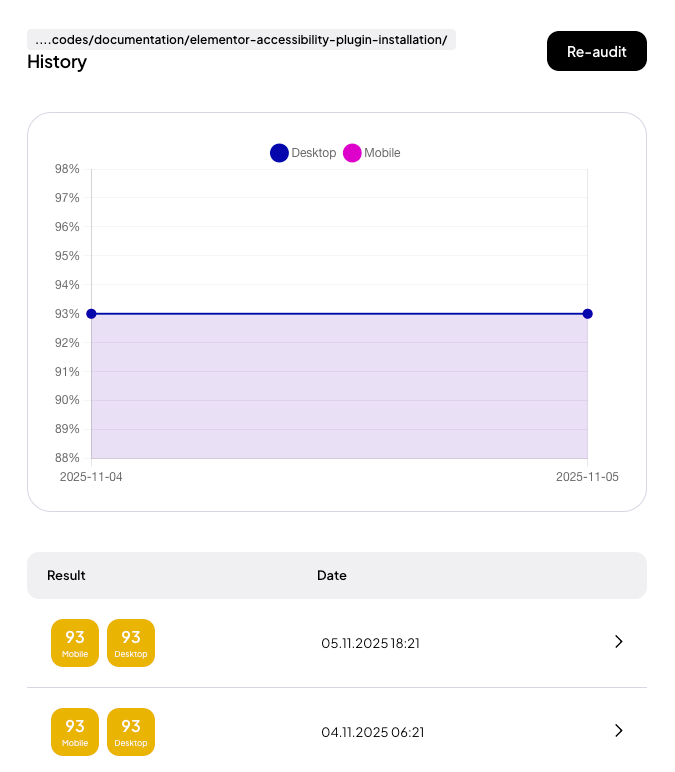
All results are saved automatically in the audit history, allowing you to return to them at any time.
Limits and login
Free audits have a daily request limit. After logging in, users gain:
- an increased number of allowed requests,
- access to the full audit history for domains registered in their account,
- the ability to share reports without time restrictions.
📌 Unauthenticated users can view the report for 14 days after the audit is completed. After this period, the report is automatically removed.
Sharing audit results
Every audit report can be easily shared by:
- clicking the “Share” button,
- or copying the link directly from the interface.
API integration
You can also run accessibility audits programmatically using the Accessibility Checker API.
This allows you to automate testing in CI/CD pipelines.
📘 View the API documentation:
👉 Accessibility Checker API documentation
Official integrations are available for:
- NPM
- Python
- PHP
- Laravel
- cURL
Accessibility Monitoring
Accessibility Monitoring expands the capabilities of audits.
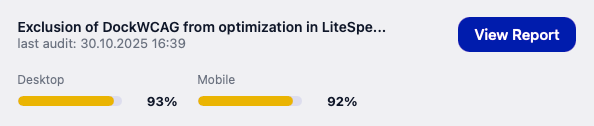
It allows automated, recurring scans of webpages and delivers consolidated reports on their accessibility status.
Monitoring is available to users with an active plan that includes monitoring features.
How monitoring works
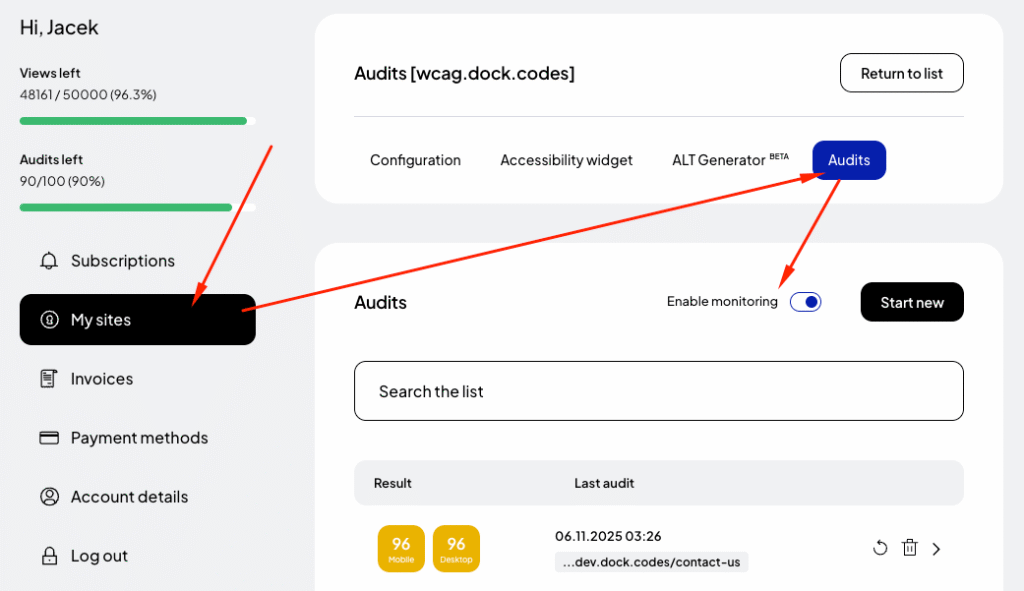
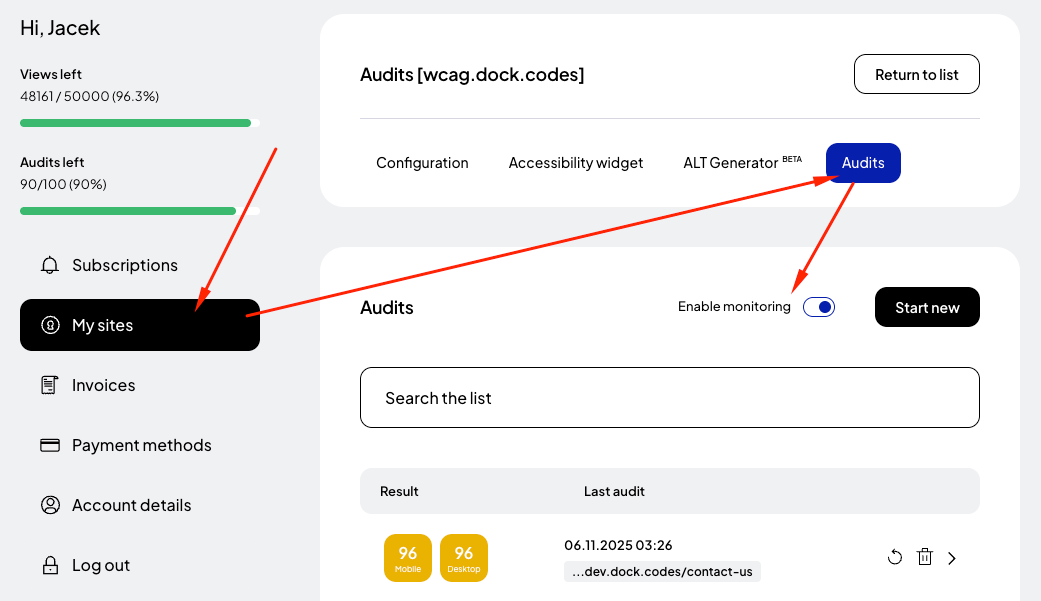
To enable monitoring, first add a site in the “My Sites” section (if you haven’t already).
After opening the site, go to the “Audits” tab and start a new audit.
Once the audit is created, you can enable monitoring for that specific subpage – simply toggle the “Enable monitoring” switch.
From that moment on, the system will run recurring scans automatically.
Scope and limits
Depending on your subscription plan:
- you may add a different number of main sites with monitoring enabled,
- each site may contain a defined number of subpages that are monitored automatically.
Email notifications
Monitoring allows you to configure periodic email notifications.
In the panel, you can choose which sites will be included in the weekly summary report.
📬 Reports are sent once a week.
They contain a summary of accessibility audit results for selected sites.
Notifications can be enabled or disabled via the “Notifications” switch.
By combining Accessibility Audits and Monitoring, you can:
- automatically test your websites for WCAG compliance,
- track progress over time,
- react quickly to accessibility regressions,
- ensure compliance with current accessibility standards.